How to Create YouTube Videos Using AI and Make Money in 2026
In today’s digital world, YouTube has become much more than just a video-sharing platform. It is now a massive online industry where creators, businesses, and entrepreneurs earn millions through engaging content. As more people search for how to create YouTube videos using AI, the demand for faster and smarter content creation methods continues to grow. Traditional video production can be expensive and time-consuming because it often requires high-quality cameras, professional lighting, microphones, editing software, and advanced technical skills. Fortunately, AI-powered tools are changing the game by making video creation easier, faster, and more affordable for everyone.
Today, AI is completely disrupting the landscape of content creation. You no longer need to show your face, buy thousands of dollars of equipment, or spend sleepless nights editing. With the right suite of AI tools, you can conceptualize, write, narrate, design, edit, and optimize a highly professional YouTube video in a fraction of the time.
But here is the catch: The market is flooded with low-effort, robotic, copy-paste AI videos. These videos are rapidly penalized by the YouTube algorithm, suffer from terrible viewer retention, and are routinely rejected from the YouTube Partner Program (YPP) due to “reused or repetitive content” policies.
If you want to build a sustainable YouTube channel that gets millions of views, generates consistent revenue, and is fully “Google-safe,” you must learn how to use AI as a creative partner, not a lazy shortcut.
This comprehensive, step-by-step guide will show you exactly how to build a highly profitable YouTube channel using AI, while maintaining a deeply human, engaging touch that viewers love.
Understanding the AI YouTube Landscape (And Why Quality is Your Only Savior)
Before we press a single button or log into any AI tool, we must understand how the YouTube algorithm works in the age of AI.
YouTube’s primary goal is simple: Keep users on the platform for as long as possible. To achieve this, the algorithm prioritizes two key metrics above all else:
- CTR (Click-Through Rate): How many people click on your video when they see the thumbnail and title.
- AVD (Average View Duration) / Audience Retention: How long people stay and watch your video once they click.
Many automated tools promise “one-click YouTube video generation.” You type in a keyword, and the AI generates a boring slideshow with a robotic voiceover.
Do not fall for this trap. These videos fail because:
- They lack soul: Humans can instinctively recognize a robotic voice and generic stock footage within three seconds. They click away immediately, destroying your AVD.
- They violate YouTube’s monetization policies: YouTube explicitly states that channels must add creative value. If your video is just automated text-to-speech over unedited stock media, you will be rejected from earning AdSense revenue.
The “Hybrid” Approach: The Secret to High-Performance AI Videos
The most successful “faceless” channels utilize a Hybrid AI workflow. In this model, AI handles the heavy lifting—data research, script outlines, draft generation, initial voice synthesis, and raw video generation—while the creator acts as the director, editor, and quality controller.
By injecting human emotion, strategic pacing, custom visual hooks, and authentic storytelling, you bypass algorithm penalties and create content that genuinely connects with millions of viewers.
Finding a High-Paying, Viral Niche
Your niche determines your audience size, your competition, and—most importantly—your CPM (Cost Per Mille), which is how much advertisers pay per 1,000 views.
Since AI tools are incredibly efficient at producing educational, narrative, and visually driven content, certain niches are highly compatible with an AI-first workflow.
| Niche | Target Audience | AI Capability Fit | CPM Potential |
|---|---|---|---|
| Personal Finance & Investing | Extremely High | Excellent (Infographics, text animations) | Very High ($15 – $40) |
| Deep History & Untold Stories | High (Mass Appeal) | Phenomenal (AI-generated cinematic art) | Medium ($4 – $8) |
| Self-Improvement & Psychology | High | High (Kinetic typography, abstract B-roll) | Medium-High ($6 – $12) |
| Technology & AI News | Medium-High | Perfect (Screen recordings, digital mockups) | High ($10 – $20) |
| True Crime & Mystery | Extremely High | Excellent (Atmospheric AI images, moody voiceovers) | Medium ($5 – $9) |
| Geopolitics & Documentaries | High | Superb (Animated maps, archival footage, deep scripts) | Medium-High ($7 – $12) |
How to Validate Your Niche
Do not guess what works. Let data guide you. Use tools like VidIQ or TubeBuddy to analyze search volume versus competition.
The Complete Step-by-Step AI Video Creation Workflow
Now, let’s dive into the engine room. We will build a video from scratch using a professional, high-retention AI workflow.
[Ideation & Keyword Research] ──> [Scriptwriting (ChatGPT/Claude)] ──> [Human-Like Voiceover (ElevenLabs)]
                                                                               │
[Publishing & SEO Optimization] <── [Thumbnails & Titles] <── [Editing & B-Roll (CapCut/Runway)]
Step 1: Ideation & Research (The Foundation)
A great video starts with a compelling concept. If your idea is boring, no amount of advanced editing or beautiful voiceover can save it.
The AI Tool: Claude 3.5 Sonnet or ChatGPT (GPT-4o)
Instead of asking a basic prompt like “Give me video ideas for a history channel,” use a highly structured, psychological prompt that forces the AI to think like a viral YouTube producer.
The Prompt Template:
“Act as an expert YouTube growth strategist who has helped channels grow to over 5 million subscribers. My channel is in the [Insert Niche, e.g., Deep History] niche. Analyze what makes psychological curiosity and suspense drive clicks. Generate 10 highly intriguing video concepts that leverage the ‘Curiosity Gap.’ For each concept, provide:
- A working clickbait-but-honest Title.
- The ‘Hook’ (The first 30 seconds setup).
- Why this topic has viral potential (the psychological trigger).”
The Human Touch:
Analyze the generated list. Choose the idea that makes you want to click immediately. Use your intuition to refine the title so it sounds natural, urgent, and highly emotional.
Step 2: Scriptwriting (Writing for the Ear, Not the Eye)
Writing a script for a video is completely different from writing a blog post. A script must be conversational, rhythmic, fast-paced, and filled with verbal hooks that prevent the viewer from closing the tab.
Structure of a High-Retention Script:
The AI Tool: ChatGPT or Claude
To generate a truly human-sounding script, you must feed the AI strict stylistic guidelines. Otherwise, it will use cliché phrases like “In a world where…”, “Have you ever wondered…”, or “Let’s dive right in!” (These are instant red flags of AI writing).
The Prompt Template:
Act as a master documentary scriptwriter for channels like MagnatesMedia or SunnyV2.
Write an 8-minute, highly engaging video script about [Insert Chosen Topic].

Follow these strict rules:
1. Tone: Conversational, dramatic, authoritative, yet easy to understand.
2. Sentence Structure: Vary the sentence lengths. Use short, punchy sentences for impact.
3. Language: Strictly avoid generic buzzwords (e.g., 'In conclusion', 'testament to', 'delve', 'moreover'). Use raw, vivid, active-voice verbs.
4. Retention Hooks: Every 45 seconds, insert a soft cliffhanger or transition prompt (e.g., 'But things were about to get much worse...', 'Or so they thought.').
5. Visual Cues: Include brackets [Visual Cue: Zoom in on a dark map] to guide the editing process later.

Start directly with the hook. No greetings.
The Human Touch:
Read the script out loud. If you stumble over a sentence, rewrite it. Add personal anecdotes, slang, or unique rhetorical questions. This manual editing is what transforms a standard AI draft into a high-retention masterpiece.
Step 3: Generating Ultra-Realistic Voiceovers
A robotic voice will destroy your channel instantly. Thankfully, AI voice synthesis has progressed to the point where it is virtually indistinguishable from human narration, provided you use the right settings.
The AI Tool: ElevenLabs
ElevenLabs is the undisputed industry standard for voice generation. It captures breaths, natural pauses, emotional inflections, and realistic pacing.
How to Get the Perfect Voice:
- Choose the Right Voice Model:
For storytelling, documentaries, or mystery, use deep, textured voices (e.g., “Adam,” “Antoni,” or “Marcus”). For financial or tech news, opt for professional, energetic voices (e.g., “Rachel” or “Clyde”). - Optimize Voice Settings:
- Stability (40% – 50%): Lowering this slightly adds more expressive, emotional variation to the voice. If set too high, the voice sounds flat and monotone.
- Clarity + Similarity Enhancement (75% – 85%): Ensures high-fidelity audio without introducing digital artifacts.
- Style Exaggeration (10% – 20%): Gives the voice an authentic narrative flow, especially for dramatic niches.
- Punctuation is Your Director:
- Use ellipses (
...) for dramatic pauses. - Use capital letters for emphasis on specific words.
- Break up paragraphs to let the voice generator breathe naturally.
- Use ellipses (
The Human Touch:
If certain words sound slightly off or mispronounced, use ElevenLabs’ pronunciation dictionary or spell them phonetically (e.g., writing “A-I” as “ay-eye”).
Step 4: Generating High-Quality Visuals & B-Roll
Now we need the visual elements to accompany our voiceover. To keep viewers glued, your visuals must change every 2 to 4 seconds. This means an 8-minute video will require roughly 120 to 240 visual cuts.
You have three powerful avenues for securing high-quality visuals:
Option A: Cinematic AI Image Generation (Midjourney / Leonardo.ai)
If you are running a history, true crime, or sci-fi channel, you will need custom, dramatic images.
- Midjourney Prompts for YouTube B-Roll:
To get highly cinematic, cinematic-aspect-ratio images, always append--ar 16:9(the standard widescreen format for YouTube) and specify the aesthetic.- Moody Cinematic Prompt:
/imagine prompt: A dark, moody, 17th-century candlelit room, an old map laid out on a wooden table, hyper-realistic, volumetric lighting, historical archive aesthetic, shot on 35mm lens --ar 16:9 --style raw --v 6.0 - Cyberpunk/Tech Prompt:
/imagine prompt: A futuristic server room with glowing blue neon lights, a silhouette of a hacker, cinematic lighting, photorealistic, Unreal Engine 5 render, depth of field --ar 16:9
- Moody Cinematic Prompt:
Option B: AI Video Generation (Runway Gen-3 / Luma Dream Machine)
Static images are great, but subtle motion makes your video vastly more engaging. You can upload your Midjourney images into tools like Runway Gen-3 Alpha or Luma Dream Machine to turn them into stunning, high-definition 4-second video clips.
- Example prompt for motion: “Slow cinematic zoom-in, dust particles floating in the light beams, hyper-realistic motion.”
Option C: Smart Stock Footage (InVideo AI / Pexels / Pixabay)
If your channel focuses on finance, business, or self-improvement, real-world stock footage is ideal. Platforms like InVideo AI can automatically scan your script and pull high-quality clips from library databases like Shutterstock and Getty Images, matching them to your voiceover timeline.
Step 5: Professional Video Editing & Compilation
This is where the magic happens. Your goal is to combine your voiceover, music, visuals, and sound effects into a seamless, high-velocity edit.
The Tool: CapCut (Desktop Version)
CapCut has evolved into the ultimate tool for fast, professional social media and YouTube editing, powered by incredible built-in AI tools. It is free, intuitive, and highly capable.
The 5-Step Editing Blueprint in CapCut:
Step 6: Captivating Subtitles & Kinetic Typography
In the age of TikTok and YouTube Shorts, audiences are conditioned to read while they watch. Adding captions to your long-form videos keeps the viewer’s eyes locked onto the screen, drastically increasing your retention rates.
The AI Tool: CapCut Auto-Captions or Submagic
CapCut’s built-in Auto-Captions tool uses advanced speech-recognition AI to transcribe your entire voiceover in seconds with over 98% accuracy.
Styling Your Subtitles for High Retention:
- Go to Text > Auto Captions > Click Create.
- Select all captions and apply a modern, highly legible font (e.g., Montserrat Bold, The Bold Font, or Impact).
- Apply a clean text style: A vibrant yellow or clean white fill with a subtle black stroke/shadow to ensure it stands out against any background.
- Use the “Template” tab to select dynamic styles that animate words one by one as they are spoken. Keep the text centered and positioned lower-middle of the screen.
Winning the CTR Battle (Thumbnails and Titles)
You can create the most beautiful video in the world, but if nobody clicks on it, your views will remain at zero. Your thumbnail and title are responsible for 90% of your click-through rate.
Thumbnail (Visual Emotion) + Title (Cognitive Curiosity) = High Click-Through Rate (CTR)
The Psychology of a Viral Thumbnail
- The 3-Element Rule:
Never clutter your thumbnail. Your thumbnail should contain no more than three focal elements:- Element 1: The Subject (An expressive face, a mysterious object, or a high-contrast symbol).
- Element 2: The Environment (A highly detailed, atmospheric background).
- Element 3: The Text Hook (Maximum 2-4 words. Never repeat the video title. Instead, use a complementary teaser like “The Lie,” “He Knew,” or “Left Behind”).
- Element 1: The Subject (An expressive face, a mysterious object, or a high-contrast symbol).
- Extreme Contrast & Saturation:
YouTube is often scrolled on mobile screens in light or dark mode. Use bright, complementary colors (yellow/blue, red/teal, green/black) to make your thumbnail pop out from the screen.
Designing the Thumbnail with AI:
- Generate the main subject using Midjourney (e.g.,
/imagine prompt: A worried man looking at a falling stock chart, extreme facial expression, dramatic studio lighting, 3d render style --ar 16:9). - Bring the image into Canva or Photoshop.
- Apply a slight background blur to draw the viewer’s eye straight to the main subject.
- Add clean, bold text using high-contrast fonts. Apply an outer glow or a drop shadow to ensure legibility.
Creating Click-Worthy Titles:
Your title should create a massive Curiosity Gap—presenting a compelling scenario without revealing the payoff.
| Boring Title (Low CTR) | Viral, Curiosity-Driven Title (High CTR) |
|---|---|
| How the Roman Empire Collapsed | The Single Mistake That Destroyed Rome |
| 5 Money Saving Tips for Beginners | Why You are Poor (Even Though You Work Hard) |
| The History of AI | The Terrifying Future of AI Nobody is Talking About |
| Inside a $100 Million Mansion | I Spent 24 Hours Inside the World’s Most Secret Home |
The “Google-Safe” Integration: Staying Monetizable
One of the biggest concerns for creators using AI is YouTube’s Monetization Policy. YouTube wants authentic, original content. If their system flags your channel as low-value, repetitive, or entirely automated without human oversight, you will not be allowed to join the YouTube Partner Program.
To ensure your channel is 100% safe, follow this strictly:
The Safe-Use Checklist:
- [x] Never Use Direct, Unedited AI Scripts: Always edit the script. Rewrite paragraphs, add humor, share localized perspectives, and change formatting.
- [x] Never Use Raw Text-to-Speech (TTS) Software: Avoid free, robotic TTS software. Use advanced platforms like ElevenLabs, customize the voice profiles, and use dynamic voice settings to inject human personality.
- [x] Mix Visual Mediums: Do not rely entirely on AI images or only on standard stock footage. Mix AI-generated art with historical photos, screen recordings, text animations, and kinetic kinetic typography.
- [x] Heavy Sound Design: A video with poor sound design feels highly automated. By adding complex layers of sound effects, background music, ambient noise, and dynamic pacing, you signals to YouTube’s manual reviewers that there is a highly active, creative human editing behind the screen.
- [x] Provide Unique Value: Make sure your video teaches something, solves a complex mystery, or provides deep, creative entertainment. If a viewer leaves your video feeling satisfied, YouTube will reward you, regardless of the tools you used to build it.
Step-by-Step Channel Launch and SEO Strategy
Once your video is exported, it is time to feed it to the algorithm.
1. YouTube Upload Settings & On-Page SEO
To help YouTube categorize your video and show it to the right audience, you need to write highly optimized metadata.
The Title:
Put your primary, high-volume keyword near the beginning of the title. Keep the total length under 65 characters so it doesn’t get cut off on mobile devices.
The Description:
Write a mini-blog post (around 150-250 words) explaining what the video is about. Use your main keyword and relevant semantic keywords (e.g., if your video is about “AI YouTube Channel,” mention “video editing,” “faceless channel,” “AI voiceover,” and “YouTube automation” naturally).
- Include timestamps to create “Chapters.” YouTube loves chapters because they improve user experience and help your video show up in Google Search’s key moments.
- Add 3 highly relevant hashtags at the very bottom.
Tags:
While tags have a lower impact on ranking than they used to, they are still useful for spelling errors or broad category indexing. Use tools like VidIQ to copy tags from high-performing competitor videos on the same topic.
2. The First 24 Hours Strategy (Seeding Your Video)
The first 24 hours after uploading are crucial. YouTube tests your video with a small, relevant sample audience. If they react positively (high CTR and retention), the algorithm expands your video’s reach.
- Upload at the Right Time: Go to your analytics (once you have data) to see when your target demographic is most active. Generally, uploading between 2:00 PM and 5:00 PM EST on weekdays is highly effective, as it captures viewers returning home from school or work.
- Engage Instantly: When your video goes live, pin an engaging, open-ended question in the comments section to encourage immediate discussion. Reply to every single comment within the first few hours. This signals high user engagement to the algorithm.
Monetizing Your AI Channel Beyond AdSense
While YouTube AdSense is fantastic, relying solely on ad revenue is a mistake. A successful creator treats their channel as a media platform with multiple diversified income streams.
                  ┌──> YouTube AdSense (Base Income)
                  │
  Your AI Channel ├──> High-Ticket Affiliate Marketing
                  │
                  ├──> Brand Sponsorships & Deals
                  │
                  └──> Digital Products (E-books, Courses, Templates)
1. High-Ticket Affiliate Marketing
You don’t need millions of views to make thousands of dollars if you recommend the right products. Find software, tools, or courses that solve your viewers’ problems.
- Example: If you run a channel about “Coding with AI,” place your affiliate link for hosting platforms or specialized software courses in the description and pinned comments. Every sale earns you a recurring commission.
2. Direct Brand Sponsorships
Once your channel consistently pulls in over 10,000 views per video, brands will start reaching out to sponsor your content. Brands pay a premium to put their products in front of highly targeted, engaged audiences.
- Prepare a clean, professional media kit showcasing your monthly views, subscriber growth, and audience demographics (age, country, top interests).
3. Digital Products and Memberships
If your channel focuses on education or skill-building, create digital assets like customized CapCut templates, AI prompt guides, e-books, or access to a private Discord community. These offer 100% profit margins and complete control over your monetization.
Summary of the Ultimate AI Tech Stack
To build a high-volume, highly successful YouTube automation business, here is the ultimate, curated suite of tools you should master:
| Stage of Workflow | Best-in-Class AI Tool | Primary Use Case | Pricing Tier |
|---|---|---|---|
| Niche Research | VidIQ / TubeBuddy | Competitor analysis, search volume tracking | Free / Paid plans |
| Ideation & Scripting | Claude 3.5 Sonnet / ChatGPT | Outlining, narrative scripts, title ideation | Free / $20/mo |
| Voice Synthesis | ElevenLabs | Ultra-realistic, high-emotion voice narration | Free / Paid plans |
| Visual Art & Assets | Midjourney / Leonardo.ai | Custom photorealistic and cinematic imagery | Paid subscription |
| AI Motion Generation | Runway Gen-3 / Luma | Animating static images into HD video clips | Free / Paid plans |
| All-in-One Creator | InVideo AI | Automated B-roll pairing, stock library access | Free trial / Paid |
| Video Editing | CapCut (Desktop) | Multi-track timeline, auto-captions, SFX | Free / Pro |
| Captions & Shorts | Submagic / OpusClip | Modern kinetic typography, viral short clips | Paid / Free trials |
How to Create YouTube Videos Using AI
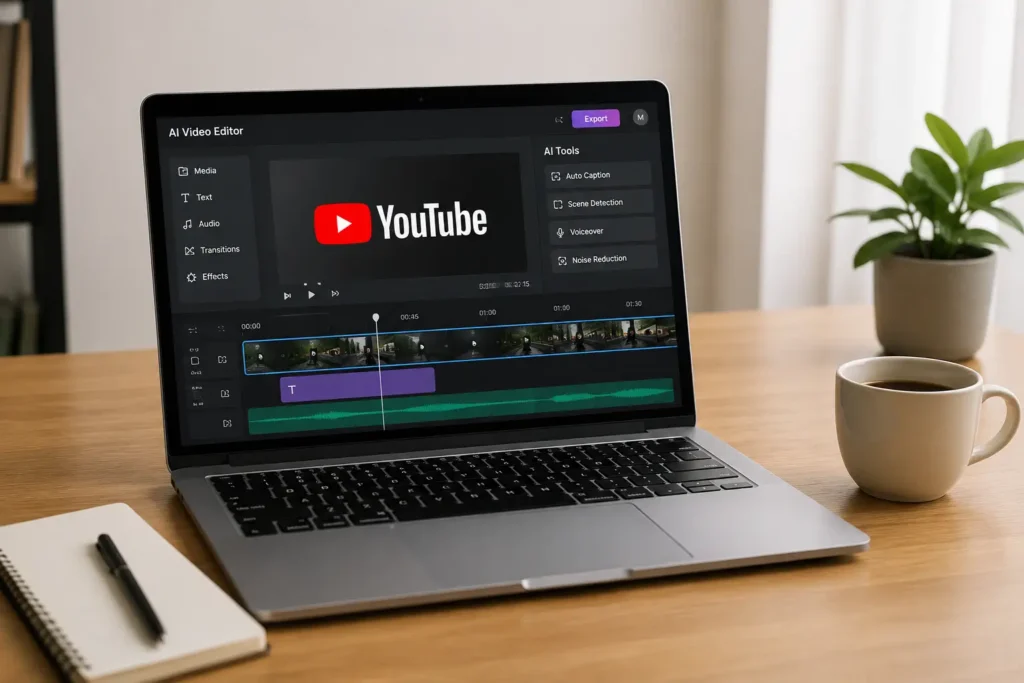
Learning how to create YouTube videos using AI has become one of the most powerful ways for beginners and content creators to grow faster online. With modern AI tools, you can generate video ideas, write engaging scripts, create voiceovers, edit videos, design thumbnails, and even optimize your content for YouTube SEO in far less time than traditional methods. Whether you want to build a faceless YouTube automation channel, promote a business, or create educational and entertainment content, AI makes the entire process easier, faster, and more affordable. By combining AI technology with creativity and consistency, anyone can create professional-quality YouTube videos that attract viewers, increase watch time, and grow a successful channel organically.
Conclusion
The future of YouTube content creation is changing rapidly, and creators who learn how to create YouTube videos using AI now have a huge advantage. AI tools can help you save time, reduce production costs, and create high-quality videos faster than ever before. But real success on YouTube still comes from combining smart AI automation with human creativity, storytelling, and originality.
Many people upload low-quality automated videos and expect instant results, but channels that truly grow are the ones that focus on valuable content, audience engagement, and consistent quality. When you use AI the right way, you can build a professional YouTube channel that attracts organic traffic, ranks in Google search results, gains millions of views, and creates long-term income opportunities.
This is the perfect time to start. Choose a profitable niche, use the right AI tools, and begin creating engaging videos that people genuinely want to watch. Your first successful AI-powered YouTube video could be closer than you think.