15 Best Free AI Coding Assistants (Tested) – Top AI Code Generators & GitHub Copilot Alternatives
Introduction:
Artificial intelligence has changed software development forever. Whether you’re a beginner writing your first Python script or an experienced developer building enterprise applications, a best free AI coding assistant can save hours of work.
Modern AI coding tools don’t just autocomplete code—they explain errors, generate functions, review your code, write documentation, and even help you learn new programming languages.
The best part? Many of the most powerful tools are completely free or offer generous free plans.
In this guide, we’ll compare the best AI coding tools, highlight the top free AI code generator options, and help you choose the right AI programming assistant for your workflow.
Looking for more AI resources? Check out our guide to the Best Free AI Tools for Bloggers:
https://appstackr.com/best-free-ai-tools-for-bloggers-2026/
What Is an AI Coding Assistant?
An AI coding assistant is software powered by large language models that helps developers write, understand, review, debug, and improve code.
Instead of searching Stack Overflow for every small issue, developers can simply ask an AI assistant questions like:
- How do I fix this error?
- Can you optimize this function?
- Generate a REST API in Node.js.
- Explain this Python code.
- Convert Java code into C#.
Today’s AI developer tools work directly inside popular editors like Visual Studio Code, Visual Studio, JetBrains IDEs, and even web browsers.
Why Developers Are Using AI for Programming
Using AI isn’t about replacing developers—it’s about removing repetitive work so you can focus on solving real problems.
Some of the biggest benefits include:
- Faster code generation
- Smarter code suggestions
- AI debugging assistance
- Automatic documentation
- Better code optimization
- Learning new programming languages
- Improved programming productivity
Whether you’re working on HTML, CSS, JavaScript, Python, Java, or C++, an AI-powered programming assistant can dramatically improve your coding workflow.
How We Selected the Best AI Coding Tools
Instead of looking only at popularity, we compared every tool using these factors:
| Criteria | Why It Matters |
|---|---|
| Free Plan | Useful without paying |
| Code Accuracy | Generates reliable code |
| Code Completion | Smart autocomplete suggestions |
| AI Debugging | Helps fix errors quickly |
| Code Explanation | Easy for beginners |
| IDE Support | VS Code, Visual Studio, JetBrains |
| Speed | Fast responses while coding |
1. GitHub Copilot
Best for: Professional developers
GitHub Copilot remains one of the most advanced AI coding assistants available today. It provides intelligent code suggestions, completes entire functions, and understands the context of your project.
Pros
- Excellent code completion
- Supports dozens of languages
- Works inside VS Code
- Learns project context
Cons
- Full version requires a subscription
- Limited free access in some cases
If you’re searching for a free GitHub Copilot alternative, keep reading because several excellent options are available.
2. Cursor AI
Best for: AI-first coding
Cursor has become one of the fastest-growing AI coding software options among developers.
Unlike traditional editors, Cursor is designed around AI from the ground up. You can ask questions, edit multiple files, generate complete features, and explain code without leaving the editor.
It’s especially useful for developers working with:
- Python
- JavaScript
- React
- Next.js
- TypeScript
Cursor also functions as an excellent AI pair programming tool, making development faster and more collaborative.
3. Codeium
Best Free AI Coding Assistant
If you’re looking for a completely free AI coding assistant, Codeium deserves serious attention.
It offers:
- AI code completion
- AI chat
- Smart code suggestions
- Support for over 70 programming languages
Many developers consider Codeium the best free GitHub Copilot alternative because its free plan is generous and easy to use.
Best For
- Students
- Freelancers
- Beginners
- Professional developers
4. Gemini Code Assist
Google’s Gemini Code Assist combines Google’s latest AI models with developer-focused features.
It can:
- Generate code
- Explain algorithms
- Debug errors
- Review source code
- Improve programming productivity
If you already use Google Cloud, Gemini integrates naturally into your development workflow.
Want to stay updated on the latest AI innovations?
Read our AI & Technology Highlights:
https://appstackr.com/ai-technology-highlights-2026/
5. Claude Code
Claude Code has become popular because it generates clean, readable, and well-structured code.
Many developers use it for:
- Code explanation
- Architecture planning
- Refactoring
- Technical documentation
- Large project analysis
Instead of simply generating code, Claude often explains why a particular solution is better, making it one of the best AI coding assistants for learning programming.
Which AI Coding Assistant Is Best for Beginners?
If you’re just starting your programming journey, choose tools that explain concepts instead of only generating code.
Top beginner-friendly options include:
- Codeium
- Claude Code
- Gemini Code Assist
These tools are especially useful for students learning Python, JavaScript, HTML, and CSS because they provide explanations alongside code suggestions.
If you’re a student, don’t miss our curated list of the Best AI Tools for Students:
https://appstackr.com/best-ai-tools-for-students-in-2026/
6. Continue.dev
Best for Open-Source AI Coding
If you prefer open-source tools, Continue.dev is an excellent choice. It integrates directly with VS Code and JetBrains IDEs, allowing you to work with different AI models instead of being locked into a single provider.
Key Features
- Open-source platform
- Supports multiple AI models
- Smart code completion
- AI chat inside your editor
- Customizable workflows
Pros
- Free to use
- Highly flexible
- Great for advanced developers
Cons
- Requires a little setup
7. Amazon Q Developer
Best for AWS Developers
Amazon Q Developer is designed for developers building applications on AWS. It helps generate code, troubleshoot cloud issues, review security practices, and automate repetitive coding tasks.
Best For
- Cloud applications
- AWS projects
- Enterprise software
- DevOps teams
8. Tabby
Best Self-Hosted AI Coding Assistant
Tabby is a privacy-focused AI coding assistant that you can run on your own server.
If your organization doesn’t want to send source code to external AI services, Tabby is an excellent solution.
Highlights
- Self-hosted
- AI code completion
- Multiple language support
- Privacy-first
9. Windsurf
Best for Full AI Development
Windsurf is becoming one of the most popular AI coding platforms thanks to its intelligent editing experience. It can understand your project, suggest improvements, generate new code, and even modify multiple files at once.
Developers working on large applications often choose Windsurf because it reduces repetitive work while improving coding speed.
10. Cody by Sourcegraph
Best for Large Codebases
If you’re working on enterprise-level applications with thousands of files, Cody is an excellent AI programming assistant.
Instead of looking at a single file, Cody understands your entire repository and provides context-aware answers.
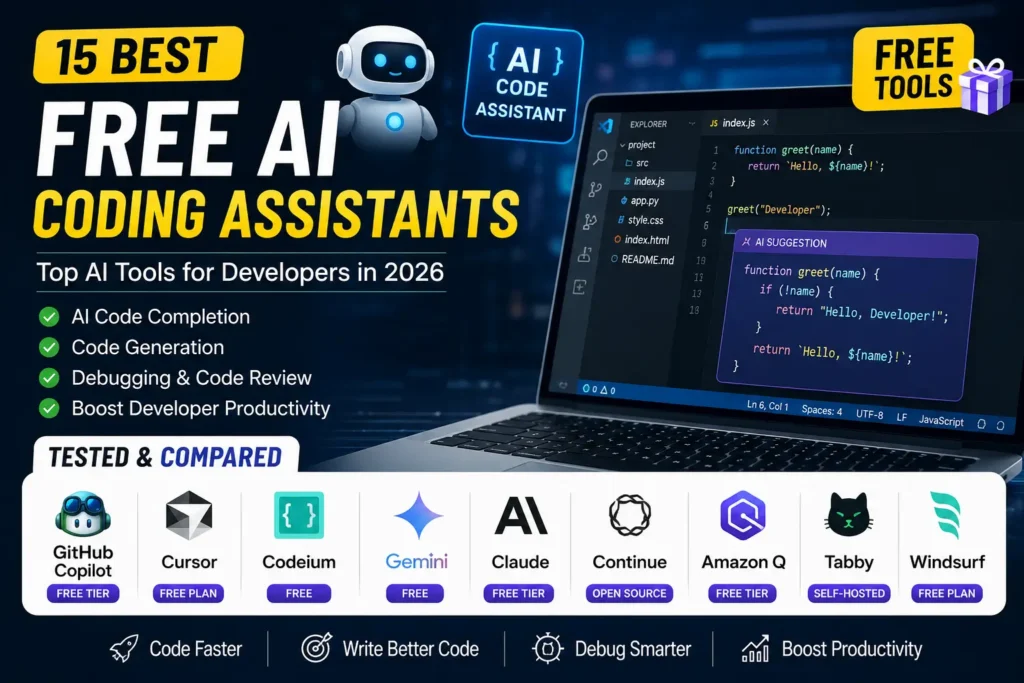
Best AI Coding Assistants Compared
| Tool | Free Plan | Best For | VS Code | Beginners |
|---|---|---|---|---|
| Codeium | ✅ Yes | Free AI Coding | ✅ | ⭐⭐⭐⭐⭐ |
| Cursor | ✅ Limited | AI Development | ✅ | ⭐⭐⭐⭐ |
| Claude Code | ✅ Limited | Code Explanation | ✅ | ⭐⭐⭐⭐⭐ |
| Gemini Code Assist | ✅ Yes | Google Ecosystem | ✅ | ⭐⭐⭐⭐ |
| GitHub Copilot | ✅ Limited | Professional Coding | ✅ | ⭐⭐⭐⭐ |
| Continue.dev | ✅ Yes | Open Source | ✅ | ⭐⭐⭐ |
| Amazon Q Developer | ✅ Yes | AWS Projects | ✅ | ⭐⭐⭐ |
| Tabby | ✅ Yes | Privacy | ✅ | ⭐⭐⭐ |
| Windsurf | ✅ Limited | Modern Development | ✅ | ⭐⭐⭐⭐ |
| Cody | ✅ Limited | Enterprise Projects | ✅ | ⭐⭐⭐⭐ |
Which AI Coding Assistant Should You Choose?
For Beginners
- Codeium
- Claude Code
- Gemini Code Assist
These tools explain code clearly, making them ideal for anyone learning programming.
For Python Developers
If you’re searching for the best AI coding assistant for Python, consider:
- Cursor
- Claude Code
- Codeium
They excel at Python projects, debugging, and explaining complex logic.
For JavaScript Developers
The best AI coding assistant for JavaScript should provide fast code completion and framework support.
Recommended options include:
- Cursor
- GitHub Copilot
- Windsurf
For VS Code Users
Most developers use Visual Studio Code, so choosing an AI coding assistant for VS Code makes sense.
Top picks:
- Codeium
- Continue.dev
- GitHub Copilot
- Claude Code
- Gemini Code Assist
For Students
Students looking for a free AI coding assistant should start with Codeium or Gemini Code Assist because both offer generous free plans and beginner-friendly features.
If you’re interested in more productivity tools, check out our guide on Best AI Tools and Editing Apps for Online Earning:
Tips for Getting Better Results with AI Coding Tools
AI coding assistants work best when you provide clear instructions.
Follow these best practices:
- Write detailed prompts.
- Review AI-generated code before using it.
- Test every function.
- Don’t rely on AI for security-sensitive code without verification.
- Use AI as a learning partner, not just a code generator.
Many developers combine AI code review tools, AI debugging assistants, and AI code completion software to build faster and write cleaner code.
Frequently Asked Questions
What is the best free AI coding assistant?
Codeium is one of the best free options thanks to its generous free plan, accurate code suggestions, and support for multiple programming languages.
Which AI coding assistant is better than GitHub Copilot?
Depending on your needs, Cursor, Claude Code, Gemini Code Assist, and Codeium are excellent GitHub Copilot alternatives.
Can AI write complete programs?
Yes. Modern AI code generators can create complete applications, but developers should always review and test the output before deployment.
Which AI coding assistant is best for Python?
Cursor, Claude Code, and Codeium are excellent choices for Python development because they offer smart code completion, debugging support, and code explanations.
Are free AI coding tools good enough?
Yes. Many free AI coding tools provide powerful features that are more than enough for students, freelancers, and even professional developers.
Final Verdict
The rise of AI has completely transformed software development. Whether you’re a beginner learning your first programming language or an experienced engineer working on enterprise applications, the right AI coding assistant can significantly improve your productivity.
If you’re looking for the best free AI coding assistant, Codeium stands out as the top choice for most users because it combines powerful AI features with a generous free plan. Developers who want advanced workflows may prefer Cursor, while Claude Code is an excellent option for code explanations and project planning. If you’re already using Google’s ecosystem, Gemini Code Assist is another strong alternative.
The best approach is to try a few tools and choose the one that fits your workflow. As AI-powered programming continues to evolve, these assistants will become an essential part of modern software development.
If you’re exploring more ways to boost your productivity with AI, don’t miss our guide on How to Make Money Online Using AI: