10 Best Free AI Tools for Bloggers in 2026 (Tested & Ranked)
Last Updated: June 2026 | Reading Time: ~14 minutes
Introduction: Blogging in 2026 Is a Different Game
I’ve been blogging for over a decade, and I’ll be honest — the past couple of years have felt like stepping into a parallel universe.
When I started, a “good workflow” meant opening a Google Doc, staring at a blank page for 20 minutes, and writing everything from scratch. Keyword research was a two-hour ordeal. Creating a decent featured image meant either hiring a designer or settling for mediocre stock photos.
Today? I can produce a fully researched, SEO-optimized, visually polished blog post in a fraction of that time — not because I’m cutting corners, but because AI tools have genuinely made me a sharper, faster, and more strategic writer.
In 2026, bloggers who aren’t using AI tools aren’t just leaving time on the table. They’re slowly being outpaced by creators who are.
But here’s the thing nobody tells you: you don’t need to spend a dime to get started. Some of the most powerful AI tools for blogging are completely free — or at least have generous free tiers that cover everything a beginner or intermediate blogger needs.
In this guide, I’m going to walk you through the 10 best free AI tools for bloggers in 2026 — not just listing features, but telling you exactly how I (and other serious bloggers) actually use them. I’ll cover the hidden tricks, the real limitations, and the smart combinations that can multiply your results.
Let’s dig in.
Quick Answer
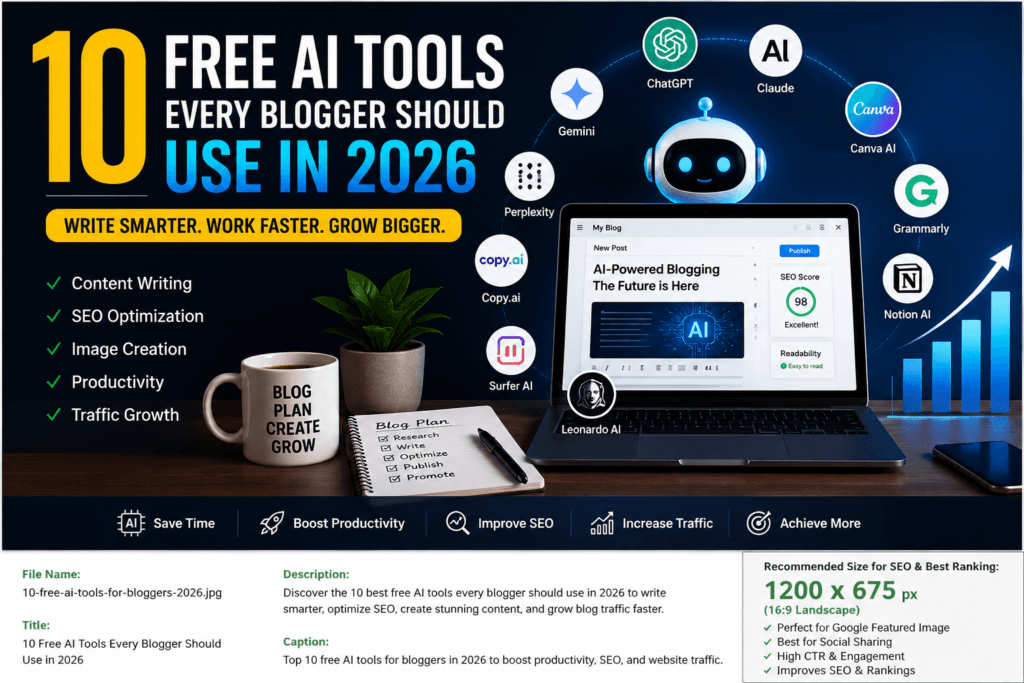
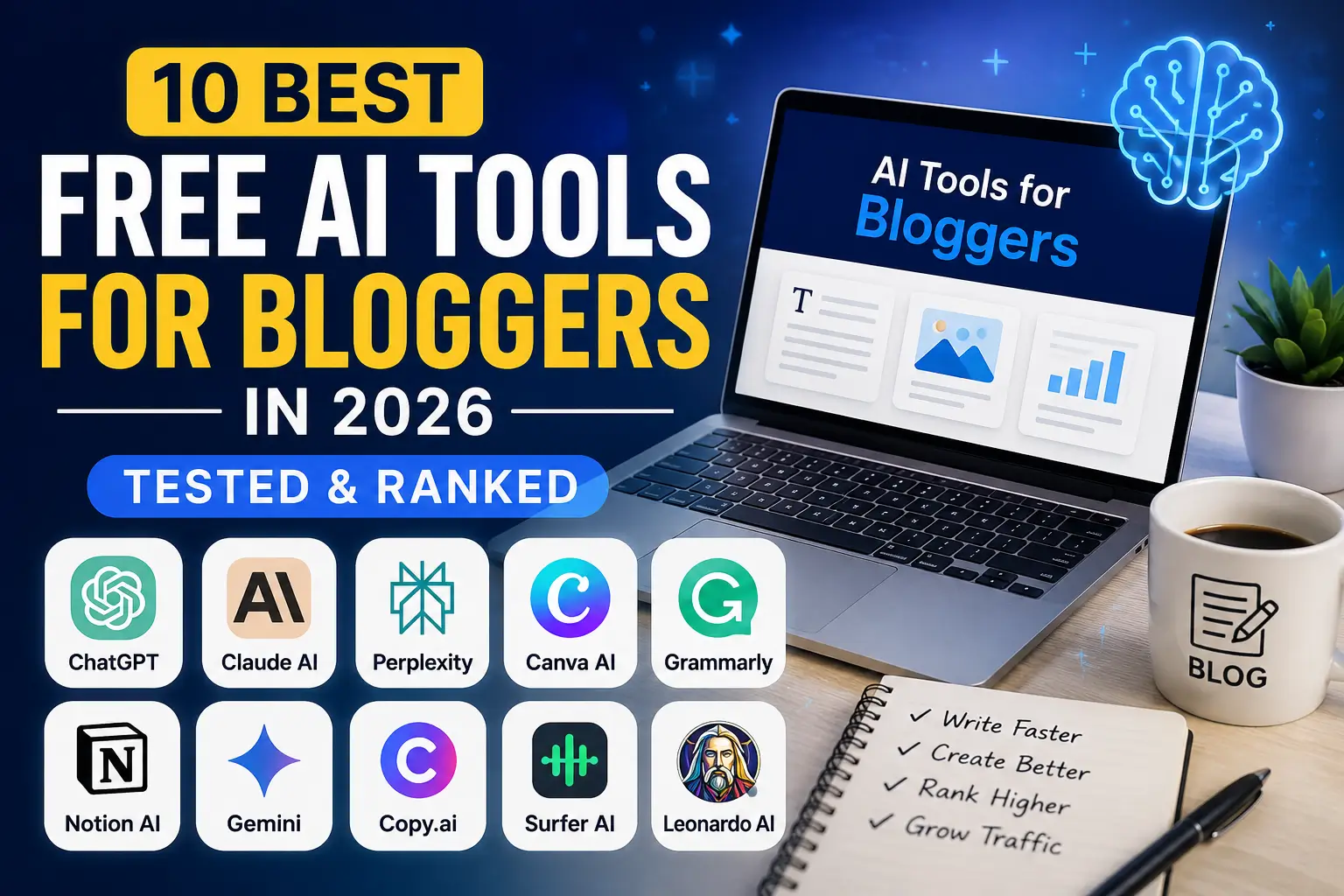
The best free AI tools for bloggers in 2026 are ChatGPT, Claude AI, Perplexity AI, Canva AI, Grammarly, Notion AI, Google Gemini, Copy.ai, Surfer AI, and Leonardo AI.
These tools help bloggers with content writing, keyword research, SEO optimization, image creation, proofreading, and productivity. Most offer generous free plans, making them ideal for beginners and experienced bloggers alike.
Why You Can Trust This Guide
I tested these AI tools using real blogging workflows, including keyword research, article writing, SEO optimization, image generation, editing, and content promotion.
The rankings are based on ease of use, free plan limitations, content quality, productivity improvements, and overall value for bloggers in 2026.
How We Selected These AI Tools
To create this list, we evaluated each AI tool based on:
- Content quality
- Ease of use
- Free plan limitations
- SEO capabilities
- Research accuracy
- Design features
- Overall value for bloggers
Only tools that provided meaningful benefits to bloggers were included in this guide.
1. # ChatGPT
What is ChatGPT?
ChatGPT is OpenAI’s conversational AI — and by 2026, it has evolved from a clever chatbot into what feels like a genuine thinking partner for bloggers. It’s the tool I reach for first when I’m staring at a blank document and need momentum.
What makes ChatGPT different from a simple content generator is its ability to reason through a problem with you. You don’t just ask it to write a post — you have a conversation, refine ideas, challenge assumptions, and walk away with something that actually sounds like you.
Key Features
- GPT-4o model on the free tier (as of 2026), which handles long-form content with impressive coherence
- Memory — it remembers your writing preferences, tone, and past conversations (free tier included)
- File uploads — analyze your existing blog posts to match your voice
- Image generation (via DALL·E) — limited on free plan but available
- Custom GPTs — access to community-built tools for SEO, writing, and research
- Web browsing — real-time research without leaving the chat window
Pros
- Genuinely versatile; handles writing, editing, brainstorming, and research
- Conversational interface makes iteration natural and fast
- Memory feature means it gets better the more you use it
- Strong at creating outlines and structured article frameworks
- Excellent for repurposing content into different formats
Cons
- Free tier has usage limits during peak hours (can be frustrating mid-session)
- Tends to produce generic content if you give it generic prompts
- Requires strong prompting skills to consistently get high-quality output
- Can “hallucinate” statistics and facts — always verify
Best For
Drafting, brainstorming, outline creation, content repurposing, email newsletters, and generating blog post ideas in bulk.
Pricing
- Free: GPT-4o with usage limits, memory, some image generation
- Plus: $20/month — higher limits, priority access, more image generations
How Bloggers Can Use It
Here’s a workflow I actually use: Before writing any article, I paste my target keyword into ChatGPT and ask it to help me identify the real search intent behind that keyword — not just the surface-level topic, but what the reader is actually trying to achieve. This alone saves hours of guesswork.
I also use it to create content briefs. I give ChatGPT a list of competing article titles, and ask it to identify the gaps — what angle is nobody covering? That insight becomes my unique hook.
Time saved: Approximately 2–3 hours per article in research and outlining.
SEO benefit: Helps build comprehensive topical coverage, which supports topical authority — a major ranking signal in 2026.
ChatGPT Alternatives
- Claude AI
- Google Gemini
- Perplexity AI
2. # Claude AI
What is Claude AI?
Claude is Anthropic’s AI assistant, and among serious bloggers, it’s quietly become the favorite for one specific reason: it writes in a way that doesn’t sound like AI.
Where ChatGPT sometimes reads like a polished robot, Claude has a more natural, essayistic voice. It’s particularly strong at nuance — when you ask it to discuss a topic with multiple sides, it doesn’t just list them; it actually weighs them with something resembling judgment.
I’ve run the same prompts through both Claude and ChatGPT dozens of times. For long-form editorial content, introductions, and opinion pieces, Claude consistently produces drafts that need less rewriting. That’s not a small thing when you publish regularly.
Key Features
- Claude Sonnet 4.6 on the free tier — a genuinely capable model, not a stripped-down version
- 200K token context window — can process and analyze entire blog archives, long documents, or multiple pieces at once
- Deep reasoning — exceptional at structured thinking, analysis, and creating coherent multi-section articles
- Strong instruction-following — if you give it a detailed style guide, it follows it faithfully
- Voice matching — paste in examples of your writing and it mimics your tone convincingly
- Projects — organize your blogging workflows and maintain context across conversations
Pros
- Produces some of the most naturally-written AI content available
- Excellent at maintaining tone consistency across long articles
- Very strong at fact-based analysis and nuanced discussion
- Follows detailed prompts and style instructions faithfully
- Free tier is genuinely useful, not just a teaser
Cons
- Image generation isn’t built-in (you’ll need a separate tool for visuals)
- Web browsing on the free tier is available but less seamless than some competitors
- Less popular custom tool ecosystem compared to ChatGPT
Best For
Long-form blog posts, editorial content, opinion pieces, content that needs a distinct voice, and anything where “sounds human” is a top priority.
Pricing
- Free: Claude Sonnet 4.6 with generous daily limits
- Pro: $20/month — access to Claude Opus 4.6, higher limits, priority access
How Bloggers Can Use It
My favorite Claude technique: I paste my rough first draft — complete with awkward sentences, filler phrases, and half-formed ideas — and ask Claude to “edit this like a sharp magazine editor who’s been told to cut 20% and make it punch harder.” The results are reliably excellent.
I also use Claude for creating detailed content briefs for other writers on my team. Because it reasons structurally, the briefs it produces are thorough and easy to execute.
Unique insight: Claude’s long context window is a secret weapon. You can paste your entire blog archive into a single session and ask it to identify topic gaps, find your most and least successful content patterns, or suggest a content calendar for the next quarter. No other free tool handles this as gracefully.
Time saved: 1–2 hours per post in editing and revision cycles.
Claude AI Alternatives
Jasper AI
ChatGPT
Google Gemini
3. # Perplexity AI
What is Perplexity AI?
Perplexity AI is what you get when you cross a search engine with an AI assistant — and for bloggers who take research seriously, it may be the single most underrated tool on this list.
Think of it as Google for the AI era. You ask a question, and instead of getting ten blue links you have to click through one by one, you get a synthesized, cited answer with sources clearly marked. For bloggers, this means you can verify facts, discover new angles, and surface statistics — all in one place, in seconds.
Key Features
- Real-time web search integrated into every response
- Cited sources — every claim is linked to its original source
- Focused research mode — narrows searches to academic papers, Reddit, YouTube, or news
- Spaces — collaborative research workspaces for teams or ongoing blog topics
- Follow-up questions — builds on previous queries like a research conversation
- File analysis — upload PDFs and research papers for AI-powered summarization
Pros
- Best-in-class for research accuracy with verifiable sources
- Real-time information means current data, not training-cutoff guesses
- Cited sources protect you from publishing unverified claims
- Fast — much quicker than manual research for most tasks
- Excellent for discovering data points and statistics for content
Cons
- Not ideal for writing content — it researches, it doesn’t draft particularly well
- Pro features like unlimited daily searches require a paid plan
- Sometimes over-cites well-known sources, missing niche expert perspectives
Best For
Pre-writing research, fact-checking, finding supporting statistics, competitor analysis, and identifying trending topics in your niche.
Pricing
- Free: Unlimited standard searches, limited Pro searches per day
- Pro: $20/month — unlimited Pro searches, more advanced models, image generation
How Bloggers Can Use It
Before I write any data-driven article, I spend 20–30 minutes in Perplexity building what I call a “fact sheet” — a collection of verified statistics, quotes from credible sources, and recent developments related to my topic. This becomes the backbone of my article, giving it the kind of factual density that both readers and Google trust.
Unique insight: Perplexity’s source-first approach is a natural safeguard against one of the biggest risks of AI-generated content — publishing made-up statistics. Every number I include gets cross-checked here first.
SEO benefit: Articles with verifiable, cited data attract backlinks at a significantly higher rate than opinion-based posts. Perplexity makes sourcing easy.
Perplexity Alternatives
Microsoft Copilot
Google Gemini
ChatGPT Search
4. # Canva AI
What is Canva AI?
Canva was already the go-to design tool for bloggers who aren’t designers. In 2026, its AI features have transformed it into something even more powerful — a full creative suite that handles everything from featured images to infographics to social media graphics, all within a single platform most bloggers already know.
Key Features
- Magic Design — describe your vision in plain English, get a complete design
- Text to Image — AI-generated images from text prompts, integrated with your designs
- Magic Write — AI copywriting inside your design canvas
- Background Remover — one click to remove backgrounds from images
- Magic Resize — resize any design for different platforms instantly
- Brand Kit — store your blog’s fonts, colors, and logos for consistent branding
- Presentations and infographics built from templates with AI-suggested layouts
Pros
- No design skills required whatsoever
- Massive library of templates, elements, and stock photos
- AI features are integrated naturally into a familiar interface
- Brand Kit ensures consistent visual identity across all content
- Handles social media graphics, featured images, and infographics in one place
Cons
- Some of the best AI features (like premium Magic Media credits) are behind the Pro paywall
- AI image generation quality is good but not quite on par with dedicated image tools
- Can feel slow with very complex designs
Best For
Featured images, infographics, social media graphics, Pinterest pins, YouTube thumbnails, and any visual content creation for bloggers.
Pricing
- Free: Access to most templates, limited AI credits, core design tools
- Pro: ~$15/month — unlimited AI features, premium templates, Brand Kit
How Bloggers Can Use It
I use Canva AI every single week, primarily for two things: creating infographics that visualize data from my research (these are link magnets), and generating featured images that are visually distinct from stock photo choices my competitors make.
Time saved: 45–60 minutes per post that would otherwise require a designer or extensive photo editing.
SEO benefit: Original, branded visuals improve image search visibility and Pinterest traffic — two channels that reward consistent visual identity.
Canva AI Alternatives
- Adobe Express
- Microsoft Designer
- VistaCreate
5. # Grammarly
What is Grammarly?
Grammarly is the tool I trust to be the final human filter between my draft and my readers. It’s been around for years, but its AI-powered features have matured significantly — it no longer just catches typos. It catches thinking problems.
Key Features
- Real-time grammar and spelling correction across all your writing tools
- Tone detector — shows whether your writing reads as confident, diplomatic, formal, or casual
- Clarity suggestions — flags sentences that are hard to follow and rewrites them
- Engagement score — measures whether your writing is likely to hold attention
- Plagiarism detection (Premium) — checks against billions of web pages
- Style guide enforcement — set custom rules for your blog’s specific voice
- Browser extension — works in WordPress, Medium, Google Docs, email, and more
Pros
- Works everywhere, not just in one app
- The tone detector alone is worth installing for bloggers
- Catches subtle errors that other tools (and human proofreaders) miss
- Style guide feature is invaluable for teams or consistent solo publishing
- Free tier covers the fundamentals beautifully
Cons
- Some suggestions are overly conservative — it can sand down your personality if you accept everything blindly
- Premium features (plagiarism check, advanced style) require a paid plan
- Occasionally conflicts with technical writing or intentional style choices
Best For
Final proofreading, consistency checking, tone calibration, and ensuring every post reads as professional as possible before publishing.
Pricing
- Free: Grammar, spelling, punctuation, tone detection, basic clarity
- Premium: ~$12/month — advanced clarity, engagement, plagiarism check
How Bloggers Can Use It
Here’s a counterintuitive tip: don’t accept every Grammarly suggestion. I treat it as a second opinion, not an editor-in-chief. When it flags something, I ask myself why it’s flagging it — sometimes the “error” is actually an intentional stylistic choice. Being selective makes your writing better. Being obedient makes it bland.
Unique insight: Grammarly’s tone detector is invaluable when you’re writing in someone else’s voice — for guest posts, client content, or collaborative articles. It tells you instantly if the tone has drifted from the target.
Grammarly Alternatives
- ProWritingAid
- LanguageTool
- Hemingway Editor
6. # Notion AI
What is Notion AI?
Notion AI turns Notion — already the favorite workspace app for power bloggers — into an AI-assisted creative studio. If you manage your editorial calendar, content briefs, research notes, and drafts all in one place, Notion AI makes that entire workflow significantly faster.
Key Features
- AI writing assistant built into pages — summarize, expand, fix, or transform any block of text
- Q&A across your workspace — ask questions about notes you wrote months ago
- Autofill database properties — AI automatically fills fields like content categories, target keywords, and status
- Meeting and research summarization — paste transcripts or long notes, get concise summaries
- Content brief templates — AI-generated briefs from a keyword or topic
Pros
- Keeps everything in one place — no switching between apps
- Q&A feature is genuinely magical for recalling old research
- Excellent for content calendars and editorial planning
- Reduces cognitive load by automating administrative content tasks
Cons
- Notion AI is an add-on ($10/month), not included in the free plan
- The interface has a learning curve if you’re new to Notion
- Less powerful for writing full articles compared to dedicated AI writers
Best For
Editorial planning, content organization, content briefs, and managing a consistent publishing workflow.
Pricing
- Notion Free: Core workspace (no AI)
- Notion AI Add-on: $10/month — AI features across all plans
How Bloggers Can Use It
My editorial calendar lives in Notion. I use Notion AI to auto-generate content briefs from a keyword, then assign those to different days, track their status, and store research alongside them. When it’s time to write, everything I need is in one organized view — no tab-hopping.
7. # Google Gemini
What is Google Gemini?
Google Gemini is Google’s AI ecosystem — and for bloggers deeply embedded in the Google suite (Docs, Drive, Search, Analytics), it’s the AI that works seamlessly in the places you already live.
Key Features
- Deep Google integration — works inside Docs, Gmail, Sheets, and Drive
- Multimodal capabilities — analyzes images, PDFs, spreadsheets, and text together
- Gemini in Google Search — AI-powered search summaries
- Google Workspace integration — summarizes emails, suggests replies, drafts documents
- Real-time information via Google Search grounding
- Notebook LM (connected product) — turn your research into intelligent study guides and summaries
Pros
- Free and built into tools you already use daily
- Excellent for research directly connected to Google’s search index
- Strong at analyzing data from Google Analytics or Search Console when pasted in
- Real-time information is always current
Cons
- Gemini Advanced (best model) requires a Google One subscription
- Writing quality on the free tier lags behind Claude and ChatGPT
- Less customizable than standalone AI writing tools
Best For
Bloggers who live inside Google Workspace, quick research, content ideas tied to trending Google searches, and email management.
Pricing
- Free: Gemini in Google apps with standard features
- Google One Premium: ~$20/month — Gemini Advanced, larger context, enhanced features
How Bloggers Can Use It
I use Gemini primarily for one task: pasting my Google Search Console data directly into the chat and asking it to identify which pages have high impressions but low CTR — those are my optimization priorities. The fact that I don’t have to export data to a different tool saves significant friction.
Google Gemini Alternatives
- ChatGPT
- Claude AI
- Microsoft Copilot
8. # Copy.ai
What is Copy.ai?
Copy.ai was one of the first AI writing tools built specifically for marketing copy — and while the AI landscape has grown dramatically around it, it still holds a distinct advantage for bloggers who create a lot of short-form content alongside their main articles.
Key Features
- Pre-built workflows for blog posts, product descriptions, ad copy, and more
- Blog Wizard — guided end-to-end blog post creation
- Brand Voice — set your tone and Copy.ai writes in your style consistently
- Infobase — a knowledge base where Copy.ai learns your business details, audience, and product
- Multi-language support — write content in 25+ languages
- Team collaboration tools for shared content workflows
Pros
- Purpose-built for content marketing — less setup required than general AI tools
- Infobase feature means it learns your blog’s context over time
- Strong for creating multiple content variations quickly
- Good for bloggers who also manage social media and email
- The free plan is genuinely functional for light users
Cons
- Less depth than Claude or ChatGPT for complex, nuanced articles
- Free plan limits can feel restrictive if you publish frequently
- More of a “content marketing suite” than a pure writing tool
Best For
Social media captions, email subject lines, CTAs, ad copy, and quick marketing content that supports your blog.
Pricing
- Free: Limited credits per month, 1 user, core features
- Starter: ~$36/month — more credits, Brand Voice, Infobase
How Bloggers Can Use It
I use Copy.ai specifically for the supporting content around my blog posts — the email newsletter teaser, the five Twitter/X variations, the LinkedIn caption, and the Pinterest description. Having a tool purpose-built for these formats saves me from having to re-prompt a general AI tool for each format every time.
9. # Surfer AI
What is Surfer AI?
Surfer AI is the most data-driven content optimization tool on this list, and it’s the one that directly impacts your search rankings more than any other. Where other tools help you write, Surfer helps you write to rank.
Key Features
- Content Score — real-time SEO scoring as you write, based on top-ranking competitor pages
- NLP keyword suggestions — natural language processing to identify semantically related terms Google expects
- SERP Analyzer — breaks down why the top 10 results are ranking for your keyword
- Audit tool — analyzes your existing content and tells you what to add or remove
- AI article writer — generates SEO-optimized drafts with competitor insights baked in
- Topical Maps — plan content clusters for building topical authority
Pros
- The most direct SEO impact of any tool on this list
- Removes guesswork from content optimization
- Content audit feature is exceptional for improving old articles
- Topical Maps feature is invaluable for content strategy
- Works in real-time inside Google Docs and its own editor
Cons
- The free plan is very limited — most value is behind a paid plan
- Can encourage over-optimization if you chase the score too aggressively
- Steep price ($89/month+) makes it a premium investment
Best For
Bloggers serious about organic search rankings who want a data-driven approach to SEO content optimization.
Pricing
- Free Trial: Limited access to features
- Essential: $89/month — most bloggers will need at least this tier
Note: Surfer is the priciest on this list. I’ve included it because even infrequent use on key articles can produce significant ROI through better rankings.
How Bloggers Can Use It
I use Surfer for my “target” articles — the 20% of content I expect to drive 80% of my organic traffic. I write the article myself, then run it through Surfer’s editor to find the semantic gaps. Adding those missing concepts often lifts a page from page 2 to page 1.
10. # Leonardo AI
What is Leonardo AI?
Leonardo AI is the free AI image generation tool that serious bloggers and content creators have quietly migrated to — away from Midjourney (paid) and toward a platform that offers remarkable image quality without requiring a subscription.
Key Features
- 150 free tokens daily — enough for consistent daily image creation
- Multiple AI models including Phoenix, Flux, and Alchemy for different styles
- Fine-tuned creative control — aspect ratio, style presets, negative prompts
- Image-to-image — transform reference images into new variations
- Canvas editor — extend images, add elements, make photorealistic edits
- Transparent PNG export — clean assets for design work
Pros
- Genuinely best-in-class image quality on a free plan
- Daily token refresh means consistent access without worrying about credits
- Wide variety of styles — photorealistic, illustration, digital art, flat design
- Results outperform most AI image generators at the same (free) tier
- Canvas editor makes it useful for more complex visual projects
Cons
- Learning to write good image prompts takes practice
- Generated images can sometimes look uncanny for hyperrealistic subjects
- Commercial licensing terms should be reviewed for business use
Best For
Featured images, custom illustrations, infographic backgrounds, AI-generated photography substitutes, and visual storytelling assets.
Pricing
- Free: 150 tokens/day, access to core models
- Apprentice: $10/month — 8,500 tokens/month, priority generation, commercial rights
How Bloggers Can Use It
My featured image workflow: I describe the mood and subject of my article in a detailed prompt, generate 4–6 variations, pick the best one, then bring it into Canva for text overlays and branding. The result is original, eye-catching, and completely free.
Unique insight: Unlike stock photos used by thousands of other bloggers, AI-generated images are unique to your post. This small differentiation contributes meaningfully to brand recognition over time.
# AI Tools Comparison Table
| Tool | Best Use Case | Free Plan | Ease of Use | Best For Beginners |
|---|---|---|---|---|
| ChatGPT | All-purpose writing & research | ✅ Generous | ⭐⭐⭐⭐⭐ | ✅ Yes |
| Claude AI | Long-form, human-sounding content | ✅ Generous | ⭐⭐⭐⭐⭐ | ✅ Yes |
| Perplexity AI | Research & fact-checking | ✅ Good | ⭐⭐⭐⭐ | ✅ Yes |
| Canva AI | Visuals & design | ✅ Limited | ⭐⭐⭐⭐⭐ | ✅ Yes |
| Grammarly | Editing & proofreading | ✅ Solid | ⭐⭐⭐⭐⭐ | ✅ Yes |
| Notion AI | Planning & organization | ❌ Add-on only | ⭐⭐⭐ | ⚠️ Learning curve |
| Google Gemini | Google Workspace integration | ✅ Yes | ⭐⭐⭐⭐ | ✅ Yes |
| Copy.ai | Marketing copy & variations | ✅ Limited | ⭐⭐⭐⭐ | ✅ Yes |
| Surfer AI | SEO optimization | ⚠️ Trial only | ⭐⭐⭐ | ❌ More advanced |
| Leonardo AI | AI image generation | ✅ Generous | ⭐⭐⭐⭐ | ✅ Yes |
# How AI Tools Help Bloggers Grow Faster
Let me be direct about something: AI tools don’t replace the skill of blogging. What they do is remove the friction between your ideas and your output. Here’s how that plays out across every dimension of blog growth:
Content Creation
The most obvious benefit. With AI assistance, a blogger who used to publish once a week can realistically publish three times a week at the same quality level — or spend that same time creating deeper, more valuable content than before. Output scales. Standards don’t have to drop.
SEO Optimization
Tools like Surfer AI and Grammarly’s clarity suggestions directly improve the signals Google uses to evaluate content. More readable content reduces bounce rates. More complete topical coverage improves rankings. AI-assisted keyword research surfaces opportunities that manual research misses.
Keyword Research
AI tools with web access (Perplexity, ChatGPT, Gemini) can now synthesize keyword opportunities by analyzing search intent patterns across multiple sources simultaneously. What used to take hours of Ahrefs or SEMrush analysis can now be supplemented with AI-driven insight in minutes.
Content Planning
Notion AI and Claude are exceptional at building content calendars. Feed them your niche, your audience, and your existing content, and they’ll identify gaps, suggest angles, and map out a topical authority strategy you can execute over months.
Image Creation
Original visuals — not stock photos every competitor also uses — are increasingly a differentiator in search results, social sharing, and brand recognition. Leonardo AI and Canva AI put professional-quality original imagery within reach of every blogger.
Productivity
The average blogger I’ve spoken to saves 8–12 hours per week using this stack. That’s time reclaimed from research, editing, graphic design, and formatting — redirected to strategy, audience building, and creating content only you can create.
Traffic Growth
All of the above compounds. Better content, better images, better SEO, more consistent publishing, more strategic planning — each element feeds the others. AI tools don’t magically generate traffic. They help you build the kind of blog that earns it.
# Best AI Tool Combinations for Bloggers in 2026
After experimenting with dozens of combinations, here are the stacks I actually recommend:
The Beginner Stack (100% Free)
ChatGPT + Grammarly + Canva AI + Perplexity AI
- ChatGPT handles drafting and ideation
- Perplexity handles research and fact-checking
- Grammarly polishes the final draft
- Canva AI creates the featured image
Total cost: $0. Output quality: surprisingly strong.
The Quality-First Stack (For Serious Bloggers)
Claude AI + Perplexity AI + Grammarly + Leonardo AI
- Claude writes the most human-sounding long-form content
- Perplexity verifies every data point
- Grammarly catches what Claude misses
- Leonardo creates original, distinctive featured images
Total cost: $0–$20/month depending on usage.
The SEO-Aggressive Stack
Claude + Surfer AI + Grammarly + Canva AI
- Claude produces the draft
- Surfer AI ensures it’s optimized to rank
- Grammarly polishes readability
- Canva creates images that support visual SEO
Total cost: ~$109/month — worth it for blogs with commercial intent.
The Content Machine Stack (Teams or High-Volume Publishers)
ChatGPT + Copy.ai + Surfer AI + Notion AI + Leonardo AI
- ChatGPT handles ideation and drafting
- Copy.ai produces all supporting marketing copy
- Surfer AI optimizes for search
- Notion AI manages the entire editorial workflow
- Leonardo generates visual assets
Total cost: ~$150/month — appropriate for blogs treated as businesses.
# Common Mistakes Bloggers Make When Using AI
I’ve made most of these mistakes myself. Learn from them before they cost you rankings or credibility.
Publishing AI Content Without Editing
The biggest mistake, and the most common. AI-generated content, at its best, is a strong first draft. It’s never a final product. Publishing it without editing strips away your personality, misses contextual nuances, and often includes subtle errors or overly generic phrasings that readers notice even if they can’t articulate why.
Rule of thumb: If it reads exactly like what any AI would write about any topic, it’s not ready to publish.
Ignoring Fact-Checking
AI tools can and do fabricate statistics, misattribute quotes, and reference studies that don’t exist. This isn’t a quirk you can work around — it’s a fundamental limitation you must account for. Every specific claim needs verification from a real source.
Using Perplexity AI for your research phase dramatically reduces this risk.
Keyword Stuffing
Some bloggers use AI to generate content and then ask it to “include my keyword as many times as possible.” This is a 2005 SEO strategy that actively hurts rankings today. Google’s algorithms recognize unnatural keyword density. Worse, it makes the article unpleasant to read.
Better approach: Include your primary keyword naturally in the first 100 words, in one heading, and let related semantic terms do the rest of the work.
Over-Automation
There’s a temptation, once you have these tools, to automate everything and treat blogging as a content factory. This produces quantity without soul — and readers (and Google) are increasingly good at detecting it.
The bloggers building real audiences in 2026 use AI as leverage for their expertise, not as a replacement for it.
Lack of Personal Experience
The EEAT principle (Experience, Expertise, Authoritativeness, Trustworthiness) that Google evaluates content against now heavily weights demonstrated personal experience. AI can’t tell readers about your specific results, your failures, or your genuine opinions. Adding those elements — even briefly — transforms a generic AI draft into a credible, trustworthy article.
# Expert Tips to Get Better Results with AI Tools
These are the non-obvious tactics that separate bloggers who get mediocre AI results from those who consistently produce excellent content with AI assistance:
1. Give AI your persona, not just your topic. Before asking for any writing, tell the tool who you are, who your audience is, what tone you use, and what you want readers to feel after reading the piece. Context produces dramatically better output.
2. Use the “then refine” workflow. Generate a first draft → identify the 3 weakest sections → prompt specifically to improve those sections → repeat. Iteration always beats single-shot generation.
3. Always add one thing AI can’t. Every article should contain at least one element that only you could contribute — a personal story, an unpublished observation, a specific result you’ve experienced. This is what makes your content genuinely valuable and protects it from commoditization.
4. Use AI to understand your reader, not just produce for them. Ask ChatGPT or Claude: “What are the top 10 questions someone researching [topic] has that most articles never actually answer?” Then answer those questions. This produces content with genuine depth.
5. Create your own prompt library. The prompts that work well for your niche and writing style are worth saving. A library of 20–30 refined prompts is one of the most valuable blogging assets you can build.
6. Use different tools for different jobs. Perplexity for research. Claude for drafting. Grammarly for editing. Leonardo for images. Canva for design. Specialization produces better results than trying to make one tool do everything.
7. Read AI output aloud. Before publishing, read your AI-assisted draft aloud. Anything that sounds awkward when spoken will sound awkward when read. This is the fastest way to catch the subtle tells of AI-generated writing.
8. Stay inside the conversation. When an AI produces something you like, keep iterating in the same chat window. Context accumulates, and the AI gets progressively better at matching your needs within a single session.
# Frequently Asked Questions
Are AI tools free for bloggers?
Yes — many of the most powerful AI tools for bloggers offer genuinely functional free plans. ChatGPT, Claude AI, Perplexity, Grammarly, Canva, Google Gemini, and Leonardo AI all have free tiers that cover the core use cases for most bloggers. Some tools like Surfer AI are primarily paid, but even those offer trial access. A complete, highly functional AI blogging workflow can be assembled at zero cost.
Can AI-generated content rank on Google?
Yes — but with an important caveat. Google’s current guidelines evaluate content on quality, helpfulness, and demonstrated expertise — not on whether AI was involved in its creation. AI-generated content that is well-edited, factually accurate, genuinely helpful, and enriched with personal insight can rank very well. AI-generated content that is published without editing, lacks original perspective, and feels generic will struggle — just like any low-quality human-written content.
Which AI tool is best for SEO?
Surfer AI is the most direct SEO optimization tool on this list, providing data-driven content scoring based on competitor analysis. For broader SEO strategy, Perplexity AI excels at research and identifying ranking opportunities. Claude and ChatGPT, with proper prompting, can produce SEO-friendly content structure. For most bloggers, a combination of one writing AI and Surfer AI’s optimization will produce the strongest SEO results.
Which AI tool is best for beginners?
ChatGPT is the best starting point for most bloggers. It has the most intuitive interface, the most tutorials and community resources, a genuinely capable free plan, and handles the widest range of tasks. After getting comfortable with ChatGPT, add Grammarly for editing and Canva AI for visuals — that three-tool stack covers 80% of what most bloggers need.
Can AI replace bloggers?
No — and the reason is more nuanced than “AI can’t write well.” AI can write competently. What it can’t do is establish a genuine relationship with an audience, develop an authentic point of view from real lived experience, make judgment calls about what actually matters in your niche, or build the trust that comes from consistent, credible, human-driven expertise. The bloggers most at risk from AI aren’t those who use it — they’re those who are only producing the kind of generic, templated content that AI can now replicate. Distinct voice, genuine expertise, and real experience are more valuable than ever.
What is the best free AI writing tool?
For pure writing quality, Claude AI on the free tier is exceptional — particularly for long-form content that needs to sound natural and authoritative. ChatGPT is a close second and has a larger ecosystem of tutorials and community resources. The “best” tool depends on your primary use case: Claude for editorial content, ChatGPT for versatility, Perplexity for research-backed writing.
How much time can AI tools save bloggers?
Based on experience and feedback from other bloggers, the typical time savings across a complete blog post (research, drafting, editing, images, promotional copy) ranges from 4 to 10 hours per post. For a blogger publishing twice a week, that’s a potential 8–20 hours reclaimed per week — time that can go toward strategy, community building, or simply creating more content.
Do I need to disclose that I used AI in my blog posts?
This is evolving territory. Google doesn’t require disclosure of AI assistance in content creation. However, some blogging communities and publishing platforms have their own standards, and there’s a growing expectation of transparency from readers who care about authenticity. The safest approach: disclose when AI played a significant role in drafting, be clear about what’s been verified, and never present AI research as your own direct experience when it isn’t.
What AI tools do professional bloggers use?
Most professional bloggers use a combination of ChatGPT, Claude AI, Perplexity AI, Grammarly, and Canva AI to streamline content creation, research, editing, and design.
Can ChatGPT write SEO-friendly blog posts?
Yes. ChatGPT can create SEO-friendly content when provided with proper keywords, search intent, and content structure. However, human editing and fact-checking are still essential.
Is Claude better than ChatGPT for blogging?
Claude generally produces more natural and human-like long-form content, while ChatGPT offers greater versatility and a larger ecosystem of tools.
Which AI tool is best for WordPress bloggers?
ChatGPT, Claude AI, Grammarly, and Surfer AI are among the most useful AI tools for WordPress bloggers because they support content creation, optimization, and publishing workflows.
Are AI-generated blog posts penalized by Google?
Google does not penalize content simply because AI was used. Content is evaluated based on quality, usefulness, accuracy, and user value.
Related Guides
If you’re interested in AI-powered blogging, you may also find these guides useful:
- ChatGPT vs Claude AI: Which Is Better for Bloggers?
- Best AI Image Generators in 2026
- Best AI SEO Tools for Content Creators
- How to Build a Blog Using AI
- AI Tools for Small Businesses
# Conclusion
Blogging in 2026 rewards the creators who work smart more than it rewards those who simply work hard. These ten tools — several of them completely free — give every blogger access to capabilities that would have required a full production team just five years ago.
Here’s a quick summary of what we covered:
- ChatGPT for versatile drafting and ideation
- Claude AI for the most natural, human-sounding long-form content
- Perplexity AI for research you can actually trust
- Canva AI for professional visual design without design skills
- Grammarly for polished, publication-ready writing
- Notion AI for editorial organization and workflow management
- Google Gemini for seamless integration with your Google workspace
- Copy.ai for marketing copy that supports your main content
- Surfer AI for data-driven SEO optimization
- Leonardo AI for distinctive, original visual assets
For beginners, my top 3 recommendations are simple: Start with ChatGPT for writing assistance, add Grammarly for editing, and use Canva AI for your visuals. Master these three before adding more. Complexity doesn’t produce better content — consistency does.
And here’s the final thought I want to leave you with: the best bloggers using AI in 2026 aren’t the ones who’ve surrendered their voice to a machine. They’re the ones who’ve used these tools to amplify a voice worth listening to.
Your ideas, your experience, your perspective — that’s still what makes a blog worth reading. AI just helps you share it more efficiently, more consistently, and more effectively than ever before.
Now go write something worth reading.
Have questions about any of these tools? Drop them in the comments — I read every one.