How to Create Your Own AI Assistant: The Ultimate 2026 Guide
Introduction
Imagine waking up to a smart digital companion that doesn’t just tell you the weather—but understands your habits, manages your emails, schedules your day, and even helps you write code while you sleep. This is not the future anymore. We are living in the era of powerful, personalized artificial intelligence where automation meets intelligence—and the possibilities are endless.
Today, more people than ever are searching for ways to create your own AI assistant that can simplify life, boost productivity, and even generate income. Whether you’re a beginner with zero coding knowledge or a developer looking to build something advanced, the tools and technologies available in 2026 have made AI assistant development faster, easier, and more accessible than ever before.
In this complete guide, you’ll discover exactly how to create your own AI assistant step by step—from choosing the right AI model (like advanced language models) to designing smart conversations and deploying your assistant across platforms. If you want to build a powerful, custom AI that stands out and delivers real value, you’re in the right place.
1. Defining Your AI Assistant’s Purpose
Before you write a single line of code or sign up for a platform, you must define the “Why.” An AI that tries to do everything often ends up doing nothing well.
The Specialized Assistant vs. The Generalist
Most successful DIY AI projects fall into one of three categories:
- Productivity Ninja: Manages calendars, summarizes meetings, and tracks tasks.
- The Knowledge Base: An AI trained on your personal documents, PDFs, and notes (often using RAG – Retrieval-Augmented Generation).
- The Automation Expert: Connects to APIs to perform actions like sending Slack messages or ordering groceries.
Pro-Tip: Start small. Build an AI that solves one specific “pain point” in your daily routine before scaling it into a JARVIS-like system.
2. Choosing the Right Technical Stack
Your “stack” is the collection of technologies that power your assistant. This is the most critical decision in the process.
No-Code Solutions (For Beginners)
If you aren’t a programmer, you can still build powerful AI agents using:
- GPTs (by OpenAI): Custom versions of ChatGPT that you can “train” with instructions and files.
- Zapier Central: Allows you to create AI bots that interact with over 6,000 different apps.
- Poe: A platform to create and share bots using various underlying models like Claude, GPT-4, or Llama.
Low-Code and Developer Frameworks (For Intermediate/Advanced)
To build something truly unique, you’ll likely use:
- LangChain: The industry standard for “chaining” different AI components together.
- AutoGPT / BabyAGI: Frameworks for creating autonomous agents that can think for themselves.
- Streamlit: A fantastic way to build a web interface for your AI using only Python.
3. Selecting the “Brain”: Choosing an LLM
The Large Language Model (LLM) is the engine of your assistant.
Proprietary Models (Fast and Powerful)
- GPT-4o: Best all-rounder with incredible reasoning capabilities.
- Claude 3.5 Sonnet: Highly praised for its human-like writing and coding skills.
- Gemini 1.5 Pro: Excellent for massive “context windows” (reading entire books at once).
Open-Source Models (Privacy and Control)
If you want to run your AI locally for privacy reasons:
- Llama 3 (Meta): The king of open-source performance.
- Mistral: High efficiency, perfect for running on a personal laptop.
4. Understanding the Architecture: How it Works
To build a professional-grade assistant, you need to understand three core concepts:
Prompt Engineering
This isn’t just “asking a question.” It’s about giving your AI a System Prompt. Example: “You are a specialized Research Assistant. Your tone is professional. You always cite your sources and never speculate on medical data.”
Memory (Context)
Standard AI is “forgetful.” To make your assistant “yours,” you need to implement memory. This is usually done via a Vector Database (like Pinecone or Milvus) where the AI stores past conversations and your personal data.
Tools and Skills (Function Calling)
A modern AI assistant needs “hands.” Through a feature called Function Calling, your AI can realize it needs to check the weather, call an API, or run a Python script, and then execute that action.
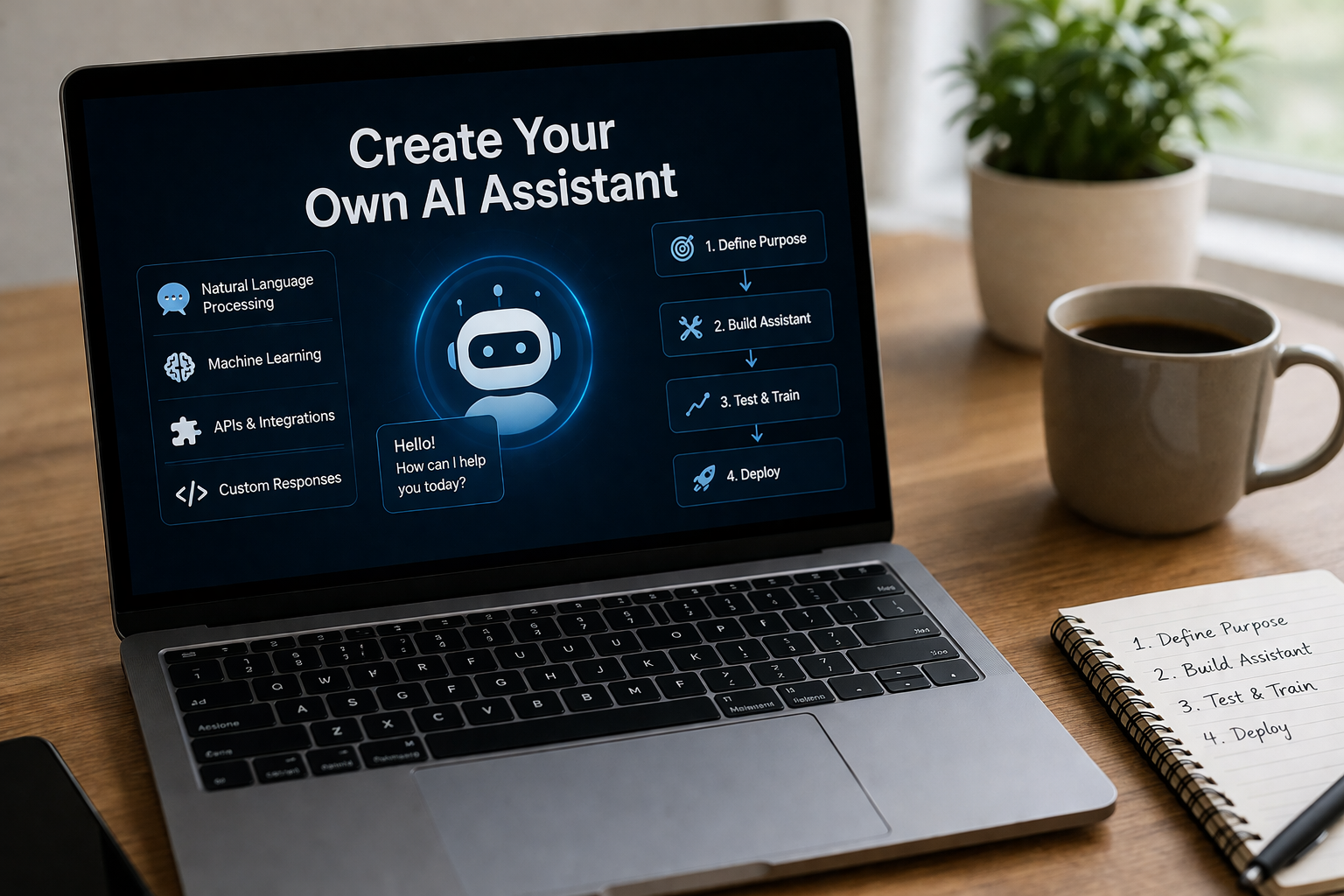
5. Step-by-Step Guide: Building a Simple AI Assistant with Python
Let’s look at a basic blueprint for a Python-based assistant using the OpenAI API.
Step 1: Set Up Your Environment
You’ll need Python installed and an API key from OpenAI or Anthropic.
Step 2: The Basic Script
You create a loop where the user provides input, the script sends it to the LLM, and the LLM returns a response.
Step 3: Adding “Personality”
By modifying the system message in your API call, you define the assistant’s boundaries and style.
Step 4: Connecting to the Web
Using libraries like BeautifulSoup or Search APIs (like Tavily), you can give your assistant the ability to browse the live web for real-time information.
6. Personalizing Your AI with Your Own Data (RAG)
The most popular way to create a “Personal AI” today is through Retrieval-Augmented Generation (RAG).
Instead of just relying on what the AI learned during its training, you “attach” your own library of documents. When you ask a question, the system searches your documents first, finds the relevant text, and feeds it to the AI to summarize.
Why RAG is better than Fine-Tuning:
- Cheaper: You don’t have to spend thousands “retraining” the model.
- Up-to-date: You can add a new PDF today, and the AI knows it instantly.
- Accuracy: Reduces “hallucinations” because the AI is forced to use your provided text.
7. Advanced Automation: Making the AI “Do” Things
A true assistant doesn’t just talk; it acts. To achieve this, you need to connect your AI to Automation Platforms.
The Power of Zapier and Make.com
By using webhooks, your AI assistant can:
- Add a row to a Google Sheet.
- Draft an invoice in QuickBooks.
- Post a social media update.
- Filter your “High Priority” emails.
8. Privacy and Security: Keeping Your Data Safe
When building your own AI, security should be your top priority.
- API Key Safety: Never hard-code your keys into your scripts. Use
.envfiles. - Local Hosting: If you are dealing with sensitive legal or medical data, consider using Ollama to run models entirely offline on your own hardware.
- Data Masking: Ensure your assistant doesn’t accidentally send passwords or PII (Personally Identifiable Information) to third-party APIs.
9. Designing the User Interface (UI)
How will you talk to your AI?
- CLI (Command Line Interface): For the tech-savvy.
- Web App: Using Streamlit or Gradio (easiest for sharing).
- Mobile Interface: Using tools like Flutter or React Native to build a custom app.
- Voice Integration: Using Whisper (Speech-to-Text) and ElevenLabs (Text-to-Speech) for a realistic voice experience.
10. The Future of Personal AI Agents
We are moving toward a world of “Agentic Workflows.” Instead of you prompting the AI for every step, you will give it a goal (“Plan my trip to Italy”), and the agent will spend hours researching, booking, and organizing, only checking back with you for final approval.
FAQs (Frequently Asked Questions)
1. Do I need to know how to code to create an AI assistant?
No. Tools like OpenAI’s “GPTs,” Zapier Central, and Chatbase allow you to build functional AI assistants using natural language instructions and simple drag-and-drop interfaces.
2. How much does it cost to build a custom AI?
It can be free if you run open-source models locally. If you use APIs like GPT-4, costs depend on usage, typically ranging from $5 to $30 a month for personal use.
3. Can I give my AI assistant a specific voice?
Yes! By integrating APIs like ElevenLabs or Play.ht, you can give your assistant a highly realistic, human-sounding voice.
4. Is my data safe when using these AI models?
If you use “Team” or “Enterprise” tiers of major providers, your data is generally not used for training. For 100% privacy, running a model like Llama 3 locally is the best option.
5. What is the difference between a chatbot and an AI assistant?
A chatbot usually responds to queries. An AI assistant is “proactive”—it can access your calendar, use tools, and perform tasks across different applications.
Conclusion
Creating your own AI assistant is no longer just a tech experiment—it’s a powerful step toward smarter living and scalable success. From handling simple conversations to automating complex workflows, the journey to create your own AI assistant can transform how you work, think, and grow in today’s digital world. With the right strategy, tools, and continuous improvements, your AI assistant can save hundreds of hours, boost productivity, and even open new income opportunities.
The most exciting part? This technology is evolving faster than ever. New AI tools, smarter models, and advanced automation features are being released almost every week. That means the opportunity to build something impactful is right in front of you. Whether you’re a beginner or an expert, taking action today gives you a massive advantage over those who wait.
So don’t delay. Start small, keep improving, and take your first step to create your own AI assistant today. The future belongs to those who build it—and your AI journey starts now.